
What is Etch for WordPress? The End of "Page Builder" Bloat

Senior WebCoder
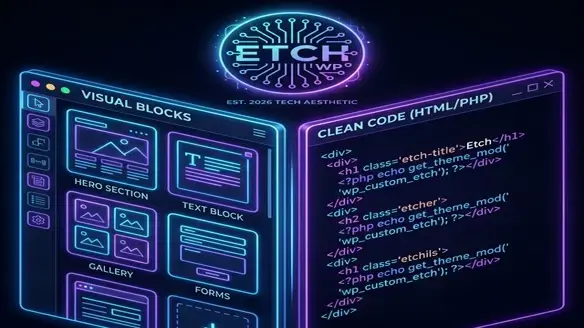
Digging Deeper: What is Etch?
For years, WordPress developers were trapped in a binary choice:
- Hand-code everything (Slow, hard for clients to edit).
- Use a Page Builder (Fast, but produces "div soup" and bloat).
Enter Etch.
Etch is widely considered the pioneer of "Era 4" in WordPress development. It is not a page builder; it is a Unified Visual Development Environment (VDE).
The Core Concept
Think of Etch as a visual mask over raw code. When you drag a global div in Etch, it's not generating a proprietary shortcode (like [divi_row]). It is writing standard, clean HTML/PHP directly into the WordPress block editor (Gutenberg) structure.
The result? A site that looks like it was custom-coded by a senior engineer, but built at the speed of a drag-and-drop tool.
Technical Breakdown: Why Etch is Different
| Feature | Legacy Page Builders (Elementor/Divi) | Etch (Visual IDE) |
|---|---|---|
| Output Code | Heavy wrappers, proprietary DOM elements. | Semantic HTML, zero bloat. |
| Lock-in | High. Deactivating breaks the site. | None. Content stays as native Gutenberg blocks. |
| Developer Access | Restricted to "Custom CSS" boxes. | Full access to PHP, HTML context, and component logic. |
| Target User | DIY Designers / Marketers | Developers & Agencies |
1. Data Liberation
If you turn off Elementor, your content disappears into a mess of shortcodes. If you turn off Etch, your content remains as native Gutenberg blocks. This is the holy grail of client handoffs. You build in Etch, but the client edits in standard WordPress.
2. The "Unified" Workflow
Etch collapses the stack. You don't need a separate theme file editor, a custom fields plugin (ACF), and a page builder. Etch handles post types, taxonomies, and layout logic within one interface, saving hours of context switching.
3. Visual + Code
Etch shines where others fail: Dynamic Data. You can visually bind a text block to a PHP return value or a custom database query without writing a single generic shortcode. It respects the developer's need for logic while keeping the interface visual.
Who is Etch For?
It is for YOU if:
- You are an Agency: You need to ship custom, high-performance sites that clients can't break.
- You care about Core Web Vitals: You want green scores on Google PageSpeed Insights without aggressive caching hacks.
- You know HTML/CSS: You understand the box model and want a tool that respects it.
It is NOT for you if:
- You want "Pre-made Templates": If you want to click "Import Demo" and be done, stick to generic themes.
- You don't know CSS: Etch gives you power, but it assumes you know what
flex-direction: columndoes.
The 2026 Verdict
In 2026, clients demand the editing power of Wix with the SEO dominance of WordPress. Etch is the answer.
It bridges the gap between "Hard Coded" and "No Code". It allows developers to act like architects, building robust, clean structures that clients can inhabit comfortably.
If you build WordPress websites for a living, learning Etch isn't optional—it's your next promotion.
Abinesh S
Senior WebCoder
Senior WebCoder at FUEiNT, specializing in advanced frontend architecture, Next.js, and performance optimization. Passionate about determining the best tools for the job.